Deploying a Netflix Clone on the Cloud using Jenkins - A DevSecOps Project
 Naresh Choudhary |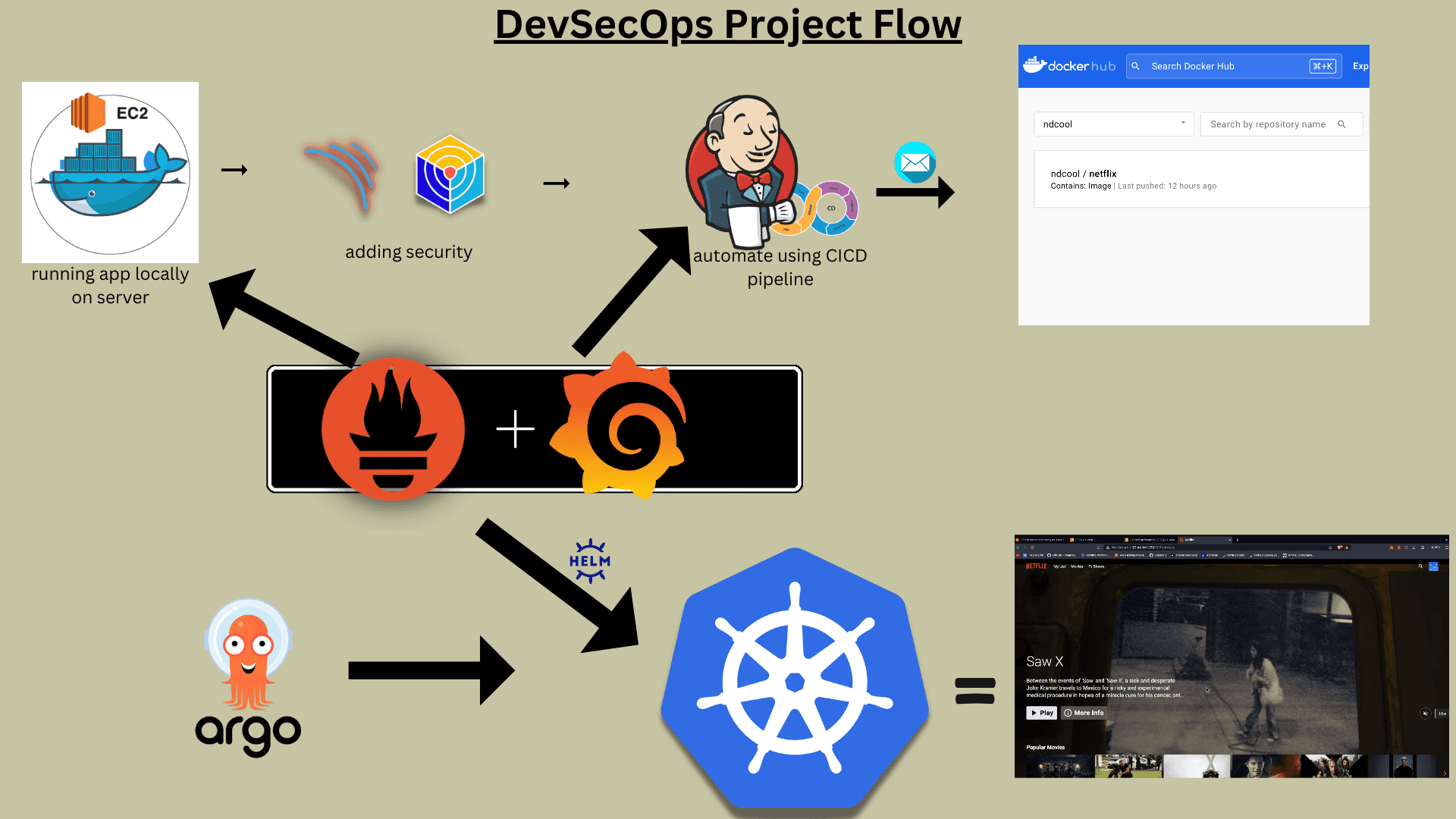
Introduction
In DevSecOps, continuous integration and continuous deployment (CI/CD) pipelines are essential for automating software development, testing, and deployment. This guide walks through deploying a Netflix Clone on the cloud using Jenkins, focusing on security and monitoring across five phases: Initial Setup, Security, CI/CD Setup, Monitoring, and Notifications.
Resources:
Phase 1: Initial Setup and Deployment
Launch EC2 (Ubuntu 22.04)
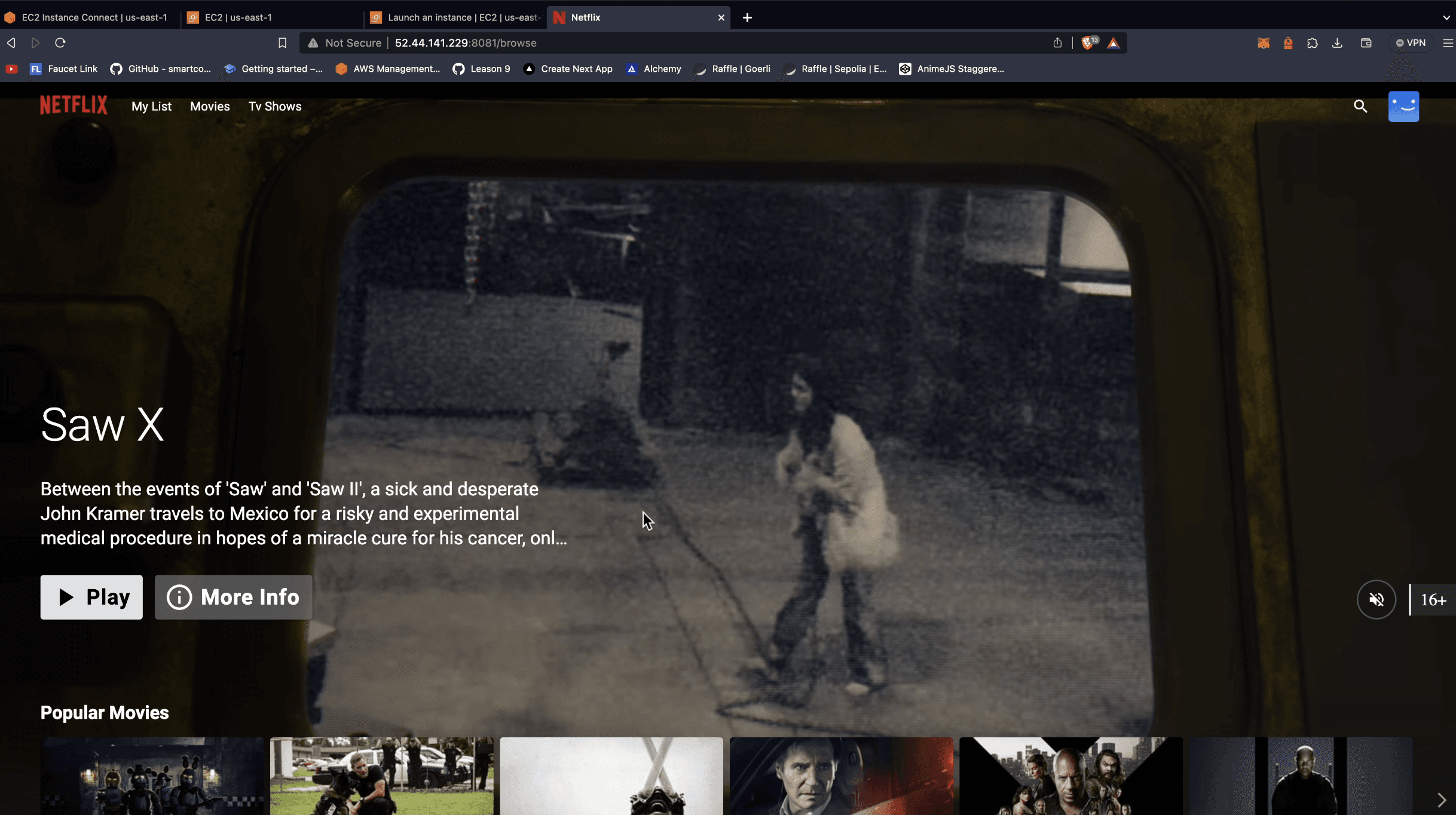
Start by provisioning an Amazon EC2 instance with Ubuntu 22.04. This instance serves as the foundation for the Netflix Clone deployment.

Clone the Repository
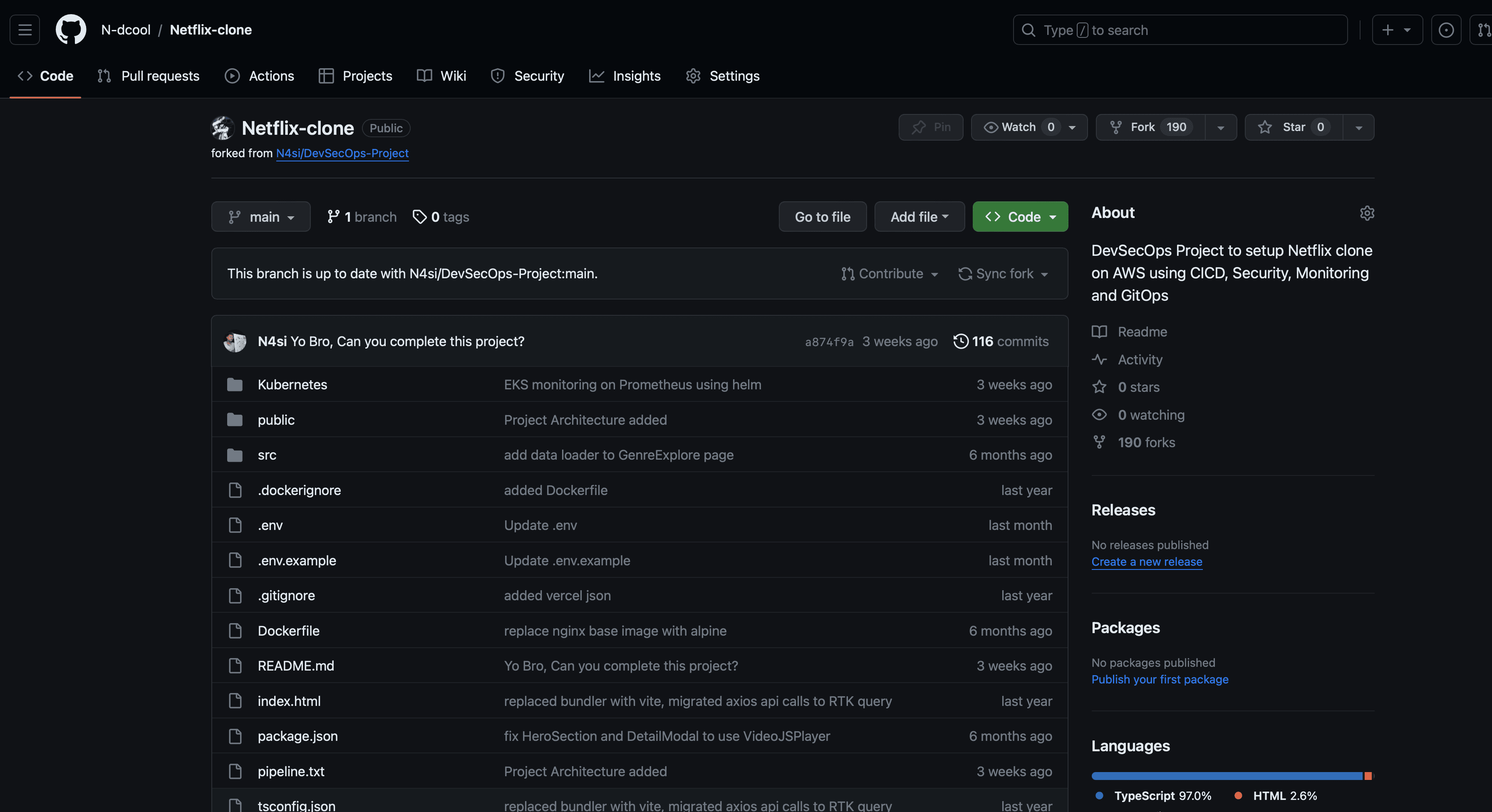
Clone the Netflix Clone code repository onto the EC2 instance.
Install Docker and Run Container
Docker containerizes the application. Install and configure it:
# Install Docker
sudo apt-get update
sudo apt-get install docker.io -y
sudo usermod -aG docker $USER
newgrp docker

# Build and run the container
docker build -t netflix-clone .
docker run -d -p 8081:80 netflix-clone
Get the API Key
Obtain an API key from The Movie Database (TMDB) for data access.
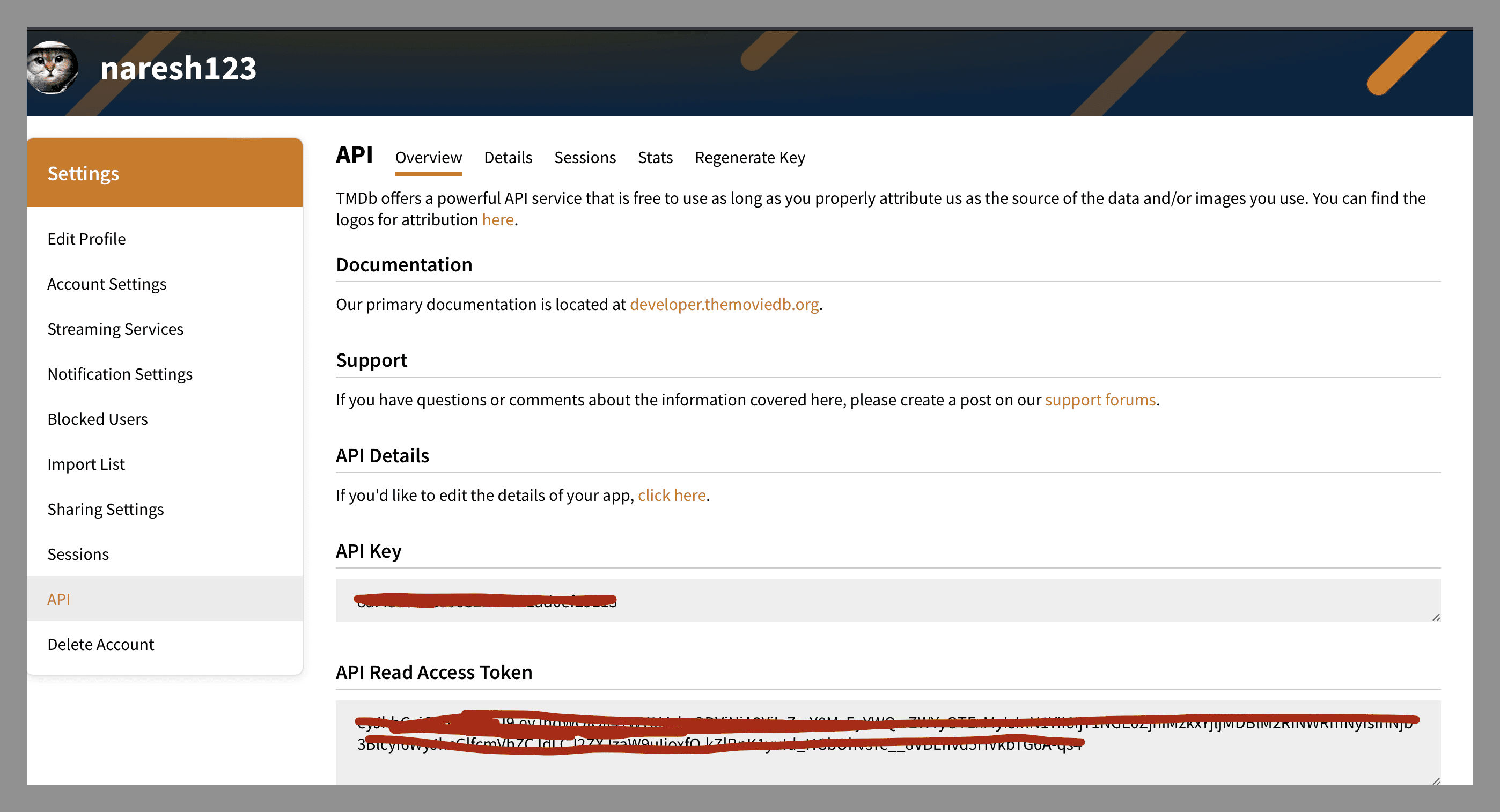
Keep your API key secure. Use environment variables or secrets management tools instead of committing it directly.
Phase 2: Security
Security scanning identifies vulnerabilities early. Install SonarQube and Trivy:
# Install SonarQube using Docker
docker run -d --name sonarqube -p 9000:9000 sonarqube:lts-community

# Install Trivy
sudo apt-get install wget apt-transport-https gnupg lsb-release
wget -qO - https://aquasecurity.github.io/trivy-repo/deb/public.key | sudo apt-key add -
echo deb https://aquasecurity.github.io/trivy-repo/deb $(lsb_release -sc) main | sudo tee -a /etc/apt/sources.list.d/trivy.list
sudo apt-get update
sudo apt-get install trivy
Integrate SonarQube into your CI/CD pipeline:
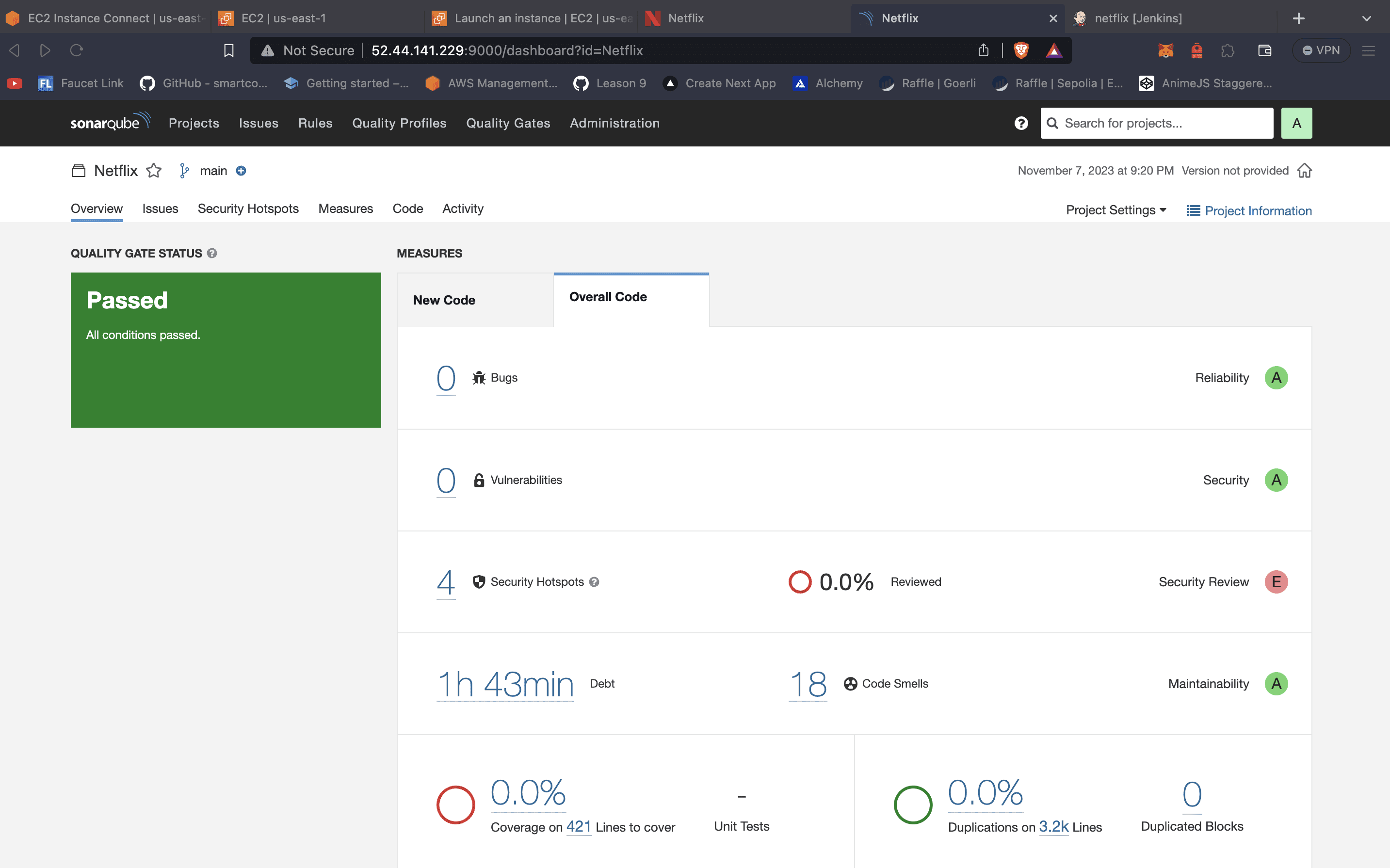
Key SonarQube metrics: Code Coverage, Code Smells, Security Vulnerabilities, Technical Debt, Duplications.
Phase 3: CI/CD Setup
Install Jenkins
Jenkins automates the build, test, and deployment pipeline:
# Install Java
sudo apt update
sudo apt install openjdk-17-jre -y

# Install Jenkins
curl -fsSL https://pkg.jenkins.io/debian-stable/jenkins.io-2023.key | sudo tee \
  /usr/share/keyrings/jenkins-keyring.asc > /dev/null
echo deb [signed-by=/usr/share/keyrings/jenkins-keyring.asc] \
  https://pkg.jenkins.io/debian-stable binary/ | sudo tee \
  /etc/apt/sources.list.d/jenkins.list > /dev/null
sudo apt-get update
sudo apt-get install jenkins -y
Required Jenkins Plugins
- Eclipse Temurin Installer
- SonarQube Scanner
- NodeJs Plugin
- OWASP Dependency-Check
- Docker Plugin
- Email Extension Plugin
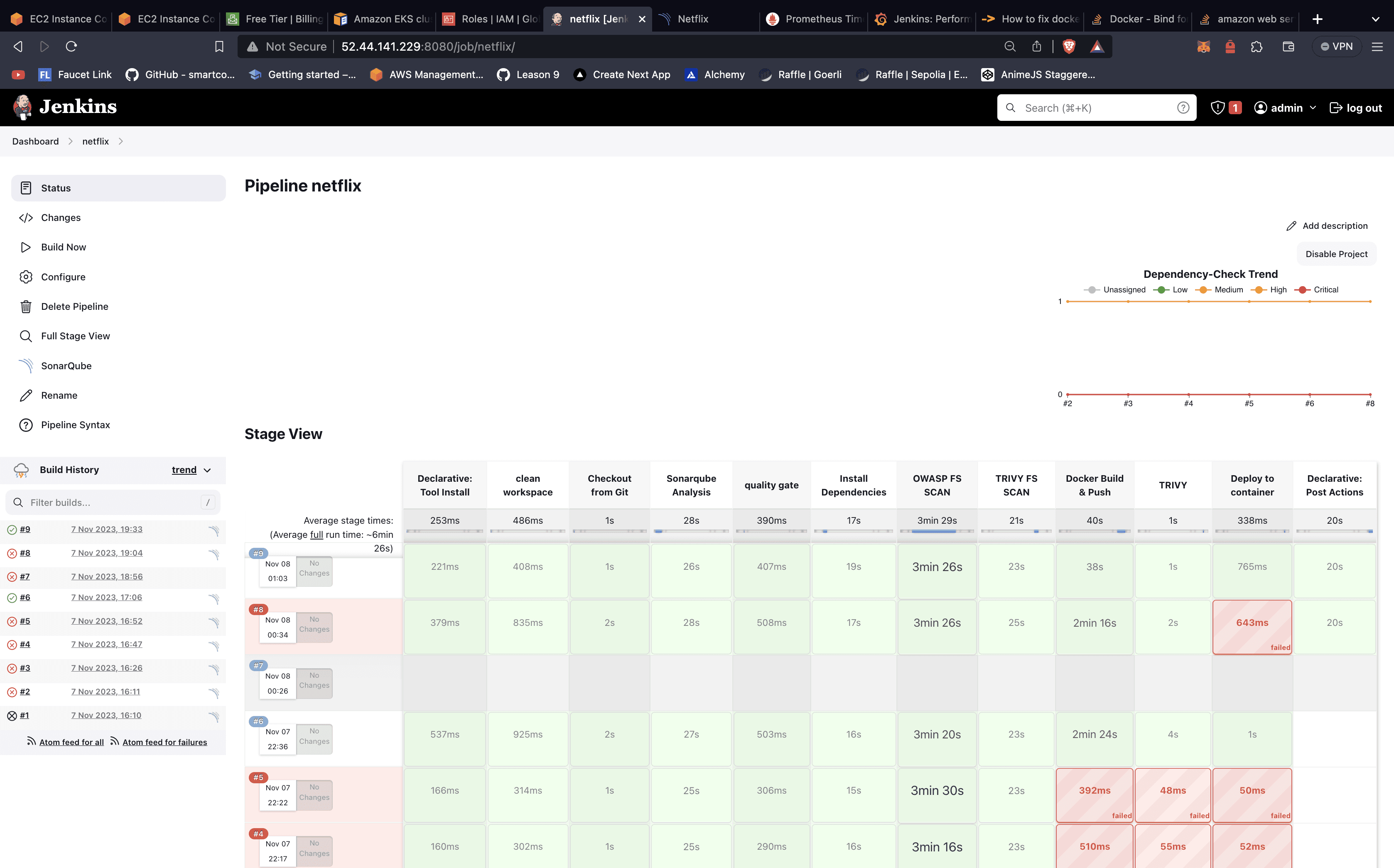
Configure Jenkins Pipeline
pipeline {
    agent any

    tools {
        jdk 'jdk17'
        nodejs 'node16'
    }

    environment {
        SCANNER_HOME = tool 'sonar-scanner'
    }

    stages {
        stage('Clean Workspace') {
            steps {
                cleanWs()
            }
        }

        stage('Checkout from Git') {
            steps {
                git branch: 'main', url: 'https://github.com/N-dcool/Netflix-clone.git'
            }
        }

        stage('SonarQube Analysis') {
            steps {
                withSonarQubeEnv('sonar-server') {
                    sh '$SCANNER_HOME/bin/sonar-scanner -Dsonar.projectName=Netflix -Dsonar.projectKey=Netflix'
                }
            }
        }

        stage('Quality Gate') {
            steps {
                script {
                    waitForQualityGate abortPipeline: false, credentialsId: 'sonar-token'
                }
            }
        }

        stage('Install Dependencies') {
            steps {
                sh 'npm install'
            }
        }

        stage('OWASP FS Scan') {
            steps {
                dependencyCheck additionalArguments: '--scan ./ --disableYarnAudit --disableNodeAudit', odcInstallation: 'DP-Check'
                dependencyCheckPublisher pattern: '**/dependency-check-report.xml'
            }
        }

        stage('Trivy FS Scan') {
            steps {
                sh 'trivy fs . > trivyfs.txt'
            }
        }

        stage('Docker Build & Push') {
            steps {
                script {
                    withDockerRegistry(credentialsId: 'docker', toolName: 'docker') {
                        sh 'docker build --build-arg TMDB_V3_API_KEY=<your-api-key> -t netflix .'
                        sh 'docker tag netflix ndcool/netflix:latest'
                        sh 'docker push ndcool/netflix:latest'
                    }
                }
            }
        }

        stage('Trivy Image Scan') {
            steps {
                sh 'trivy image ndcool/netflix:latest > trivyimage.txt'
            }
        }

        stage('Deploy to Container') {
            steps {
                sh 'docker run -d -p 8081:80 ndcool/netflix:latest'
            }
        }
    }

    post {
        always {
            emailext attachLog: true,
                subject: "'${currentBuild.result}'",
                body: "Project: ${env.JOB_NAME}\nBuild Number: ${env.BUILD_NUMBER}\nURL: ${env.BUILD_URL}",
                to: 'your-email@example.com',
                attachmentsPattern: 'trivyfs.txt,trivyimage.txt'
        }
    }
}
Phase 4: Monitoring
Install Prometheus and Grafana
Monitoring ensures application health and performance:
# Install Prometheus
wget https://github.com/prometheus/prometheus/releases/download/v2.47.0/prometheus-2.47.0.linux-amd64.tar.gz
tar -xvf prometheus-2.47.0.linux-amd64.tar.gz
cd prometheus-2.47.0.linux-amd64
./prometheus --config.file=prometheus.yml &

# Install Grafana
sudo apt-get install -y apt-transport-https software-properties-common
wget -q -O - https://packages.grafana.com/gpg.key | sudo apt-key add -
echo "deb https://packages.grafana.com/oss/deb stable main" | sudo tee -a /etc/apt/sources.list.d/grafana.list
sudo apt-get update
sudo apt-get install grafana -y
sudo systemctl start grafana-server
sudo systemctl enable grafana-server
Configure Prometheus
global:
  scrape_interval: 15s

scrape_configs:
  - job_name: 'jenkins'
    metrics_path: '/prometheus'
    static_configs:
      - targets: ['localhost:8080']

  - job_name: 'node_exporter'
    static_configs:
      - targets: ['localhost:9100']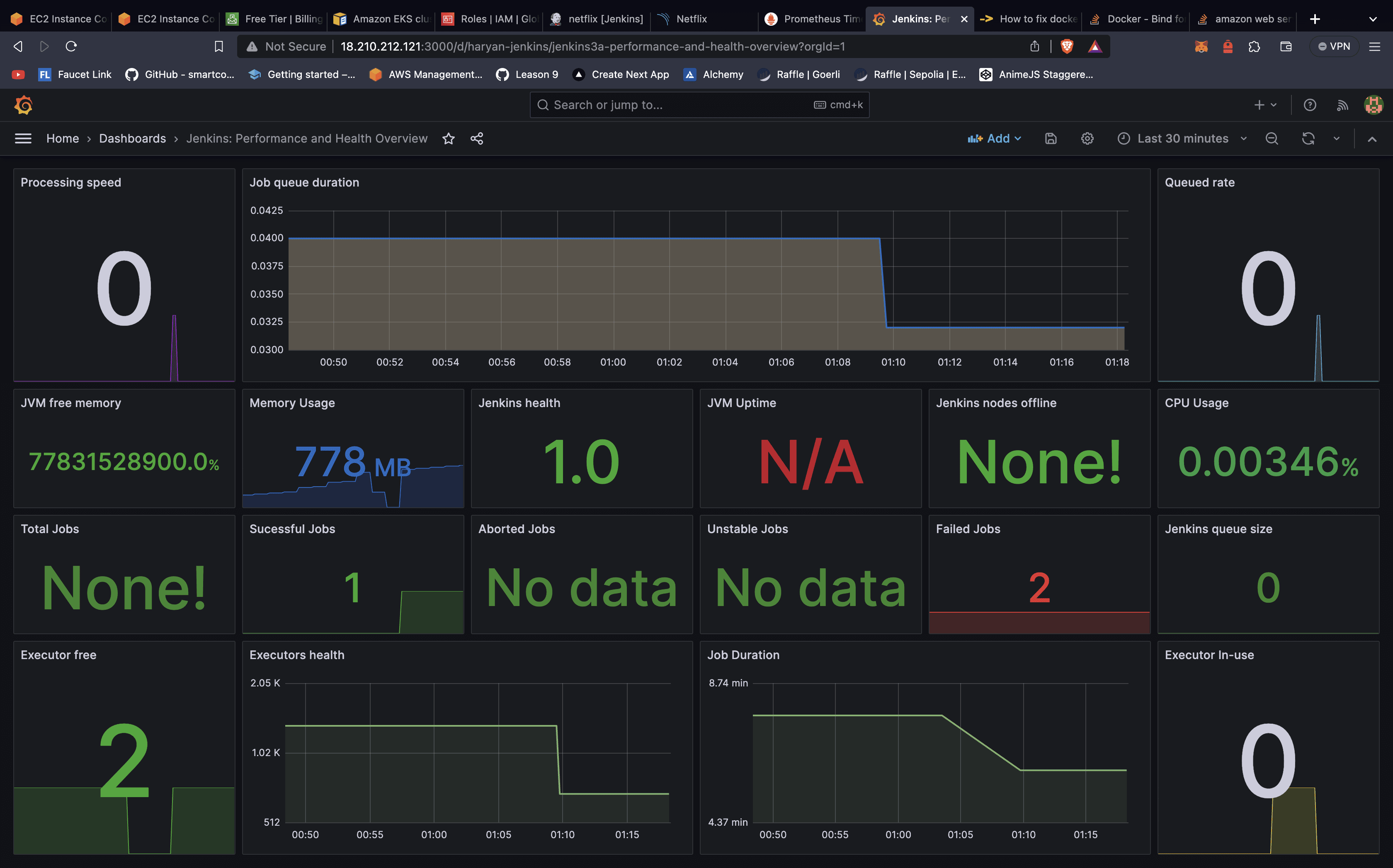
Monitor: CPU Usage, Memory Utilization, Disk I/O, Network Traffic, Application Response Time, Build Success Rate.
Phase 5: Notifications
Set up email notifications in Jenkins to keep the team informed:
post {
    success {
        emailext (
            subject: "✅ Pipeline Success: ${env.JOB_NAME} - Build #${env.BUILD_NUMBER}",
            body: "Build Successful!\nProject: ${env.JOB_NAME}\nBuild: ${env.BUILD_NUMBER}\nURL: ${env.BUILD_URL}",
            to: 'team@example.com'
        )
    }

    failure {
        emailext (
            subject: "❌ Pipeline Failed: ${env.JOB_NAME} - Build #${env.BUILD_NUMBER}",
            body: "Build Failed!\nProject: ${env.JOB_NAME}\nBuild: ${env.BUILD_NUMBER}\nURL: ${env.BUILD_URL}",
            to: 'team@example.com'
        )
    }
}
Summary
This DevSecOps project demonstrates automated deployment with Jenkins, security scanning via SonarQube and Trivy, containerization with Docker, and monitoring with Prometheus and Grafana. Key practices include automating pipelines, scanning vulnerabilities early, maintaining security standards, and continuous monitoring for operational reliability.